01
PlannedStart with your own box
Record what you already carry, then compare it with a reviewed species setup when one is available.
See how a box check is plannedSpecies Preparedness is being designed to help you start with the box you own, customize a reviewed species setup, shop for individual gear, or build a setup of your own.
This page previews planned Tackle Manager capabilities. Product comparison and shopping flows are not yet available.
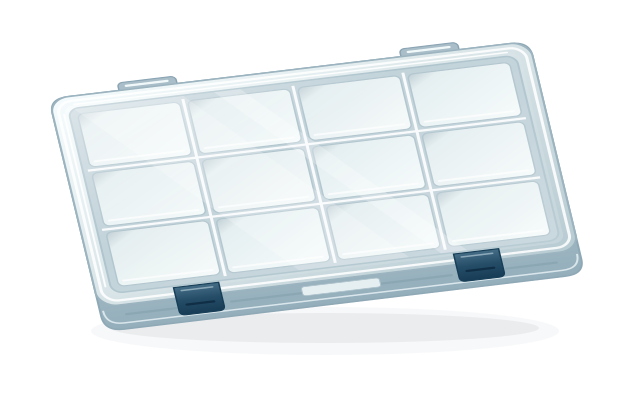
Pick the path that matches your tackle today. Each choice is shown with its current availability.
Record what you already carry, then compare it with a reviewed species setup when one is available.
See how a box check is plannedBegin with a species-focused gear list, adjust the choices, and save the setup for your trip.
Explore species kitsChoose only the gear you need. Any future product links would open with the retailer for checkout.
Understand the shopping flowOrganize your tackle around how you fish, with a path toward a more flexible box layout.
See the box-builder planThe planned flow keeps the angler in control: review the source and fit notes, decide what belongs in your box, and keep species gaps visible instead of guessing.
Select a target species and the region or fishing mode that fit the trip you are planning.
Look over the gear groups, notes, and evidence behind a reviewed setup. Species without one stay clearly marked.
Compare with your own inventory, change the list, and decide which pieces you still need.
Keep your box details on your device so your saved inventory is available when service is limited.
Tackle Manager's current foundation lets you record and edit a box on your device. A guided species comparison is planned: choose a reviewed setup, compare it with your inventory, and review possible gaps before you buy anything.
Today: enter inventory manually. There is no photo scan or automatic tackle recognition.
See what is available todayRecord what's in your box
Choose an available species setup
Review the suggested gaps
The planned catalog groups gear by role and makes the setup editable. Keep what fits, change quantities, remove items, or choose another option before saving the digital setup.
Coverage stays honest: only reviewed setups should appear as recommendations. A species without one will have a clear manual setup path.
Illustrative flow · not a live catalog
If retailer integration is approved, a future setup could link individual mapped items and, where supported, an empty organizer. You choose what to open and what to purchase.
No bundled checkout: no preloaded physical box, in-app cart, order placement, price promise, or delivery estimate is offered here.
Current price, stock, shipping, cart, and payment stay with the retailer if shopping links are enabled.
Keep a personal inventory and shape a box for your own fishing routine. The current editor starts from four illustrative 3600/3700-style layouts; a fully flexible compartment designer is not available yet.
Fit is yours to confirm: the drawings show a helpful layout, not verified dimensions or a manufacturer's exact compartment map.
Check every tray, divider, and item against the physical box you use.
Tackle Manager's current foundation supports a manually entered, editable local box inventory and four illustrative layouts. Species comparison, reviewed kit coverage, retailer links, and freeform compartment design remain in development or approval review.
No photo scan or automatic inventory recognition is available. The current Tackle Manager foundation uses manually entered box details. A guided comparison with a species setup is planned.
No preloaded physical box or bundled checkout is available. The planned species-kit flow creates a digital setup you can customize. A compatible empty organizer may be listed separately if retailer approval and product data allow it.
Shopping is approval gated. If enabled, product links would be item by item and would open with the retailer. The retailer controls current price, availability, shipping, cart, and checkout.
A fully flexible compartment designer is not available. The current box editor starts from four illustrative 3600/3700-style layouts. Those drawings are not measured manufacturer diagrams and should not be used to confirm physical fit.
No. Species coverage will grow only as setups are reviewed. A species without a reviewed setup should be shown as unavailable for that guided path, with manual box setup as an alternative.
Tell us what you fish for and where. Your feedback can help shape which reviewed setups come next.