Read temperature breaks
Compare warm and cool water edges with reefs, ledges, wrecks, and routes before committing fuel to a long run.
See recent NOAA sea-surface temperature on your fishing map so you can compare water breaks, structure, waypoints, and routes before you run offshore.
Offshore Conditions adds a recent NOAA-backed sea-surface temperature overlay to Fish Fathom. Turn it on from Map Layers, adjust opacity, and read the water alongside HD Bathymetry where supported, hard-bottom points, commercial tracks, and your saved fishing marks.
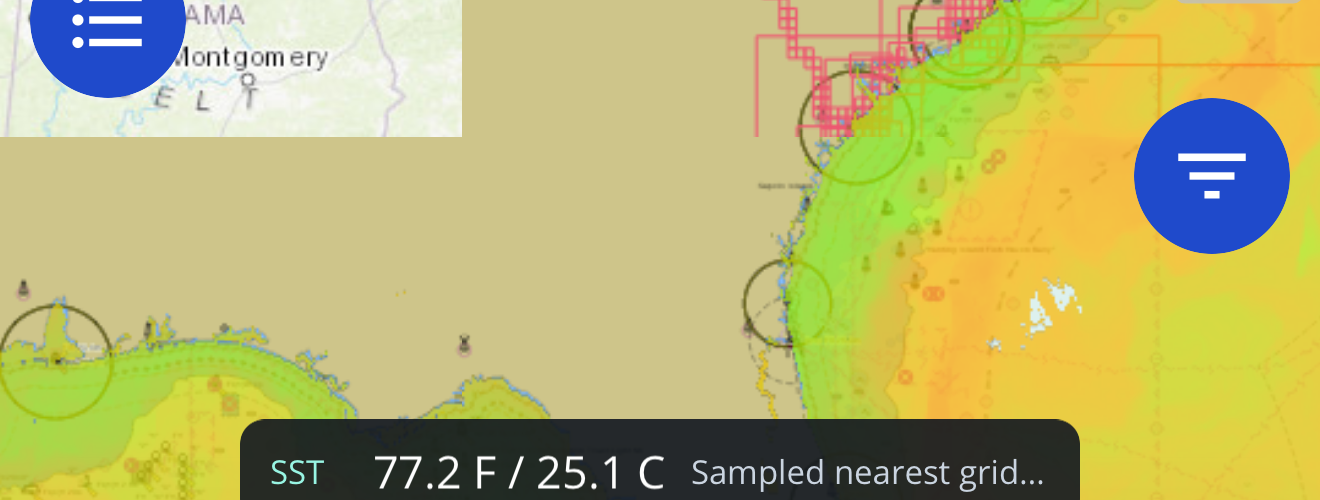
Use the layer as one planning signal, then combine it with local knowledge, weather, safety checks, and what you see on the water.
Compare warm and cool water edges with reefs, ledges, wrecks, and routes before committing fuel to a long run.
Use SST alongside HD Bathymetry where supported, bottom hardness, waypoints, and commercial track context.
Tap open water to bring up SST details for the coordinate you are evaluating.
Source and age caveats help you understand when cloud gaps or older imagery may affect the read.
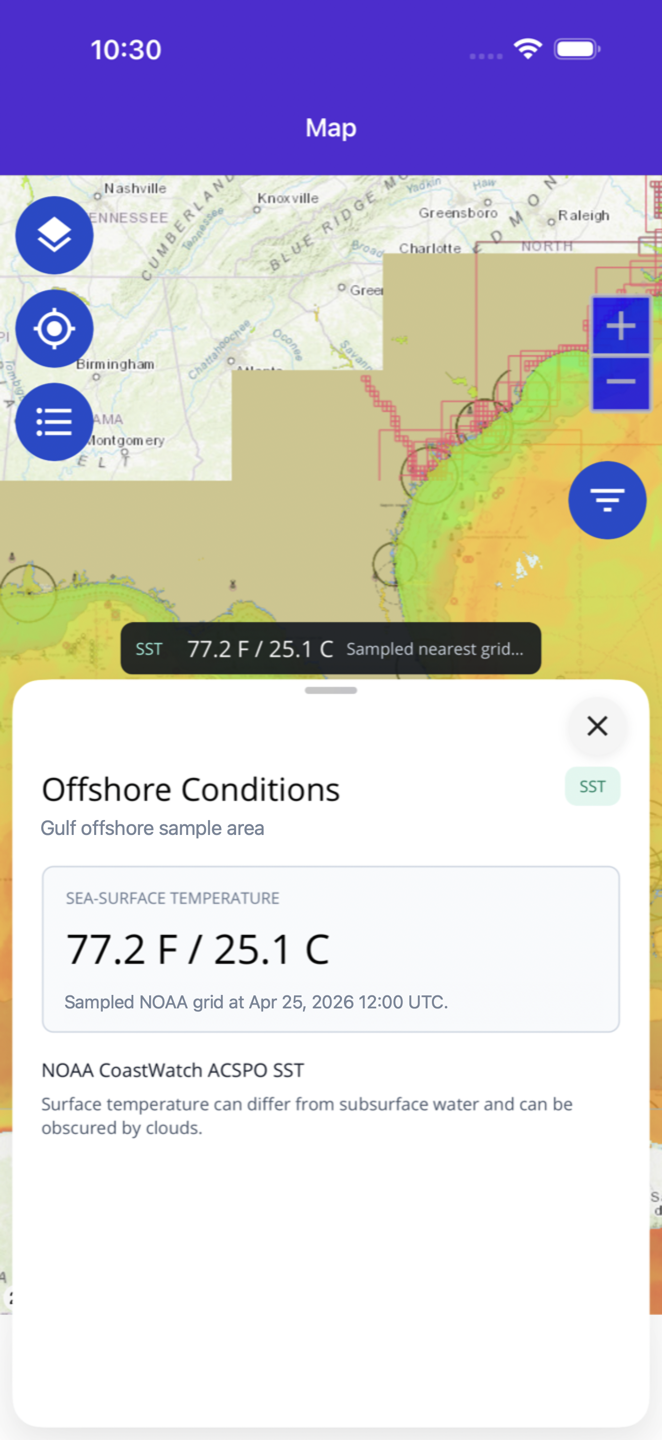
When the layer is active, tap open water to inspect the nearest available SST sample. Fish Fathom shows temperature in Fahrenheit and Celsius when a valid NOAA sample is available, and it keeps unavailable states, source attribution, and cloud-gap caveats visible when a point cannot be sampled.
Review Fahrenheit and Celsius values without leaving the map when a valid NOAA sample is available.
Check the UTC sample time so you know the age of the source data.
See the CoastWatch source and nearest grid coordinate for the sampled point.
A quick workflow for reading temperature edges without losing the rest of your trip-planning context.
Use the map layer control and enable Offshore Conditions under Fish Intel.
Adjust the layer until temperature edges are visible while structure and saved marks remain readable.
Look for temperature breaks near HD Bathymetry where supported, bottom points, tracks, routes, or waypoints.
Inspect a point for SST, source timing, and data caveats before adding it to your plan.
Satellite SST is powerful, but it is not a guarantee. Cloud cover, source age, model/composite behavior, and fast-moving fronts can all affect what the layer shows. Fish Fathom keeps those caveats visible so the layer supports better planning decisions without pretending to replace seamanship.
The first layer uses NOAA CoastWatch sea-surface temperature imagery exposed through Fish Fathom.
Fish Fathom manages Offshore Conditions access through the app so the layer stays tied to the map workflow.
The app explains that cloud gaps, source age, and satellite limitations can affect the layer.
It shows a NOAA-backed sea-surface temperature overlay on the Fish Fathom map so offshore anglers can compare water temperature edges with fishing structure, routes, and saved spots.
No. Offshore Conditions is a map layer and context tool. It supports planning, but it does not guarantee fish, safe seas, or a successful trip.
The recent SST layer needs connectivity to fetch updated tiles. Previously viewed tiles may remain visible on-device during flaky offshore connectivity and can be stale.
Satellite SST can be affected by cloud cover, data age, and source availability. Fish Fathom surfaces caveats so users know when to treat a readout carefully.
Download Fish Fathom and add Offshore Conditions to your map workflow.